
Make progressive overload a habit, not a plan.
Simple enough for every session. Every new best, celebrated. That's how a workout tracker becomes a habit.


Free to start. Needs iOS 18 or later, or Android 9 or later.
Add a little, every session
- Last session
- 80 kg × 7
- Today
- 82.5 kg × 7
+2.5 kg
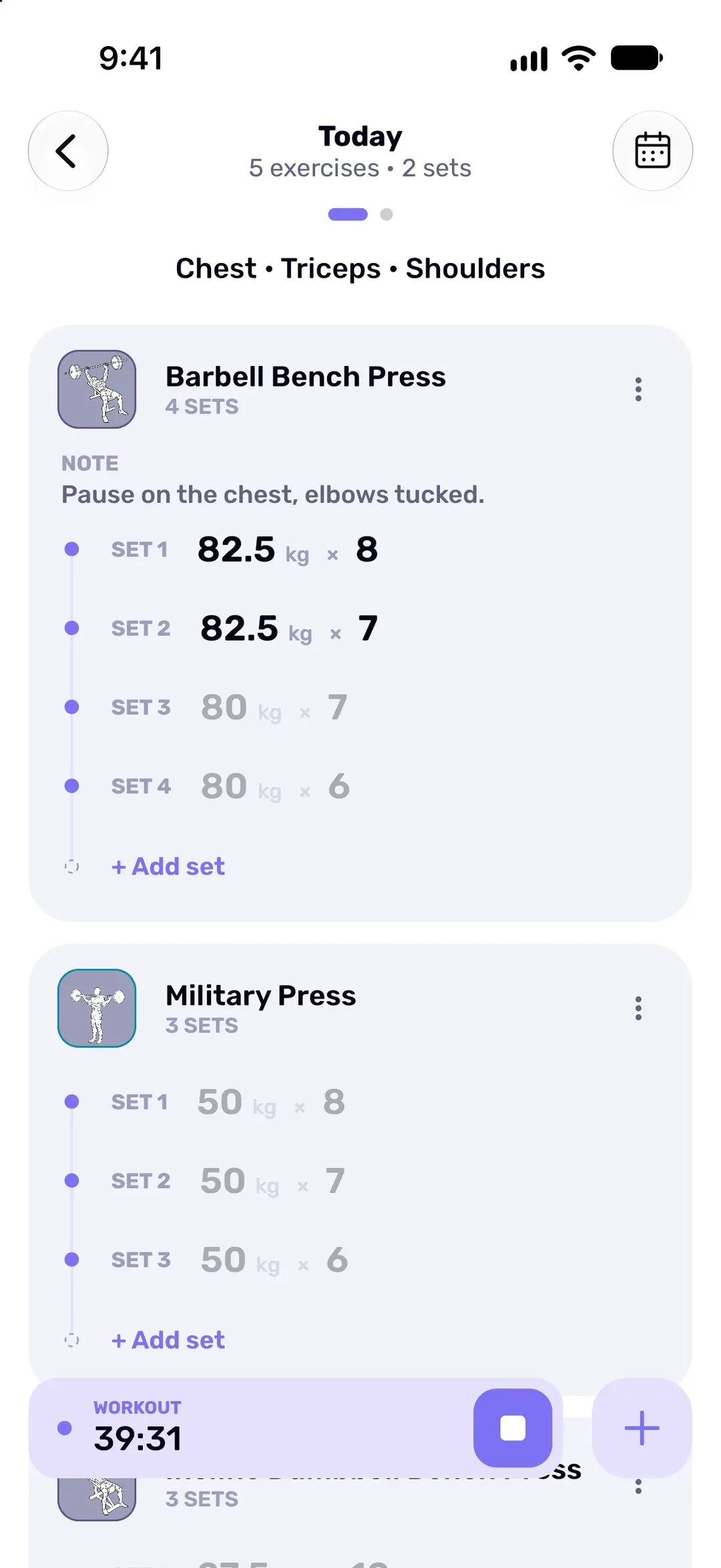
Sets you haven't logged yet show last session's numbers in grey, set for set, so today's target is already on screen. Swipe across in the set editor for the exercise's full history, or repeat a whole past workout, today or on any day you pick.
One workout, start to finish
-
A big keypad for sweaty thumbs
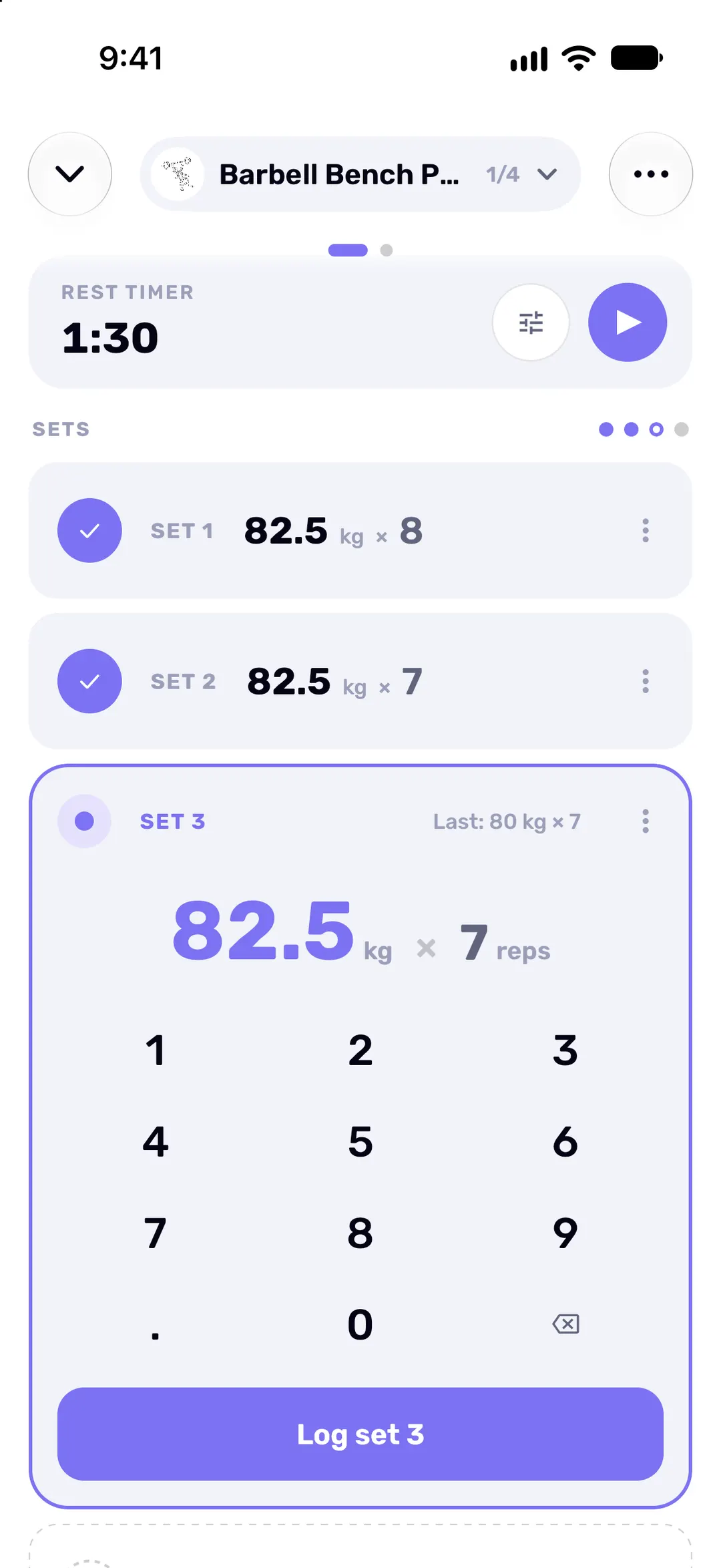
Weight and reps go in on a big number pad. Tap Log set and the next set is already open, with last time's numbers beside it. Alternating two exercises? Pair them as a superset.
-
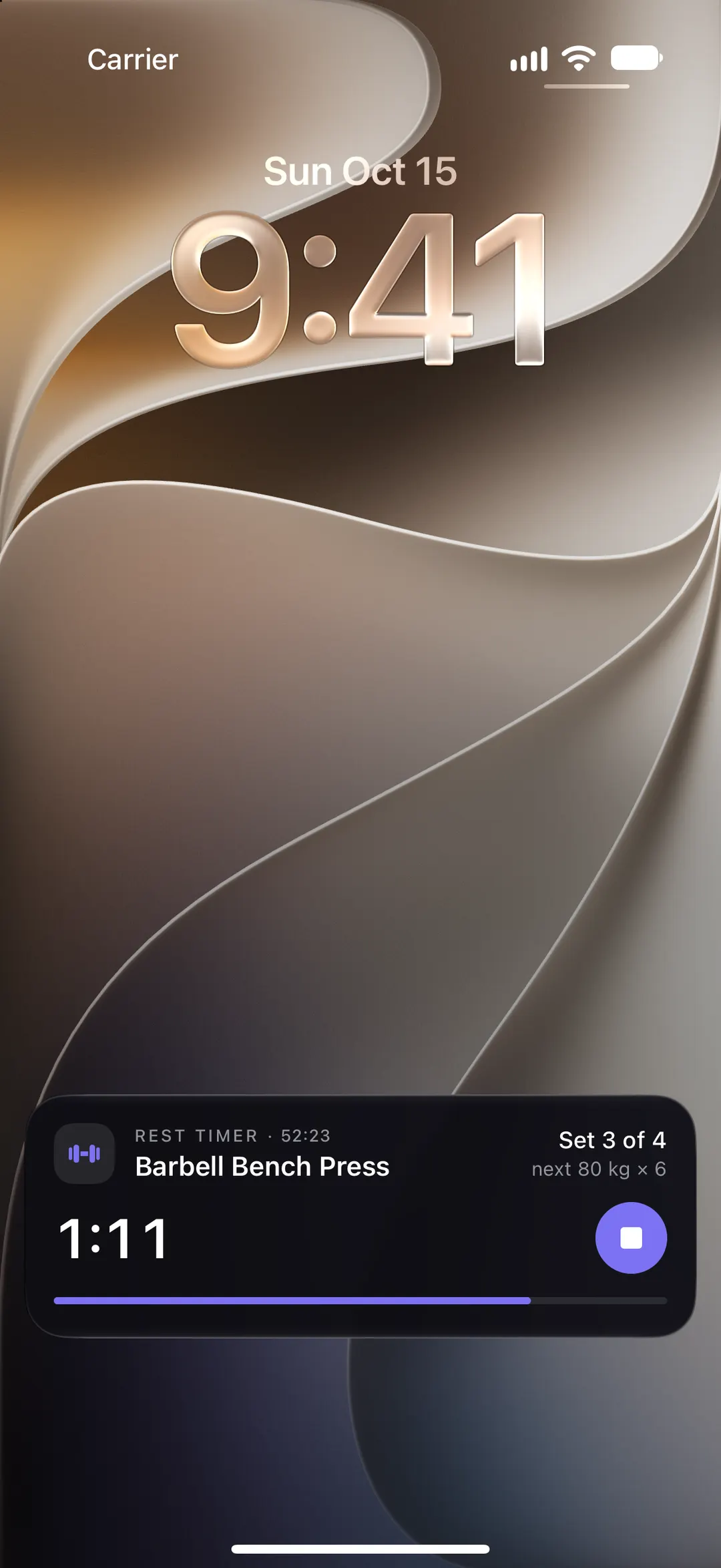
Your rest timer, on the Lock Screen
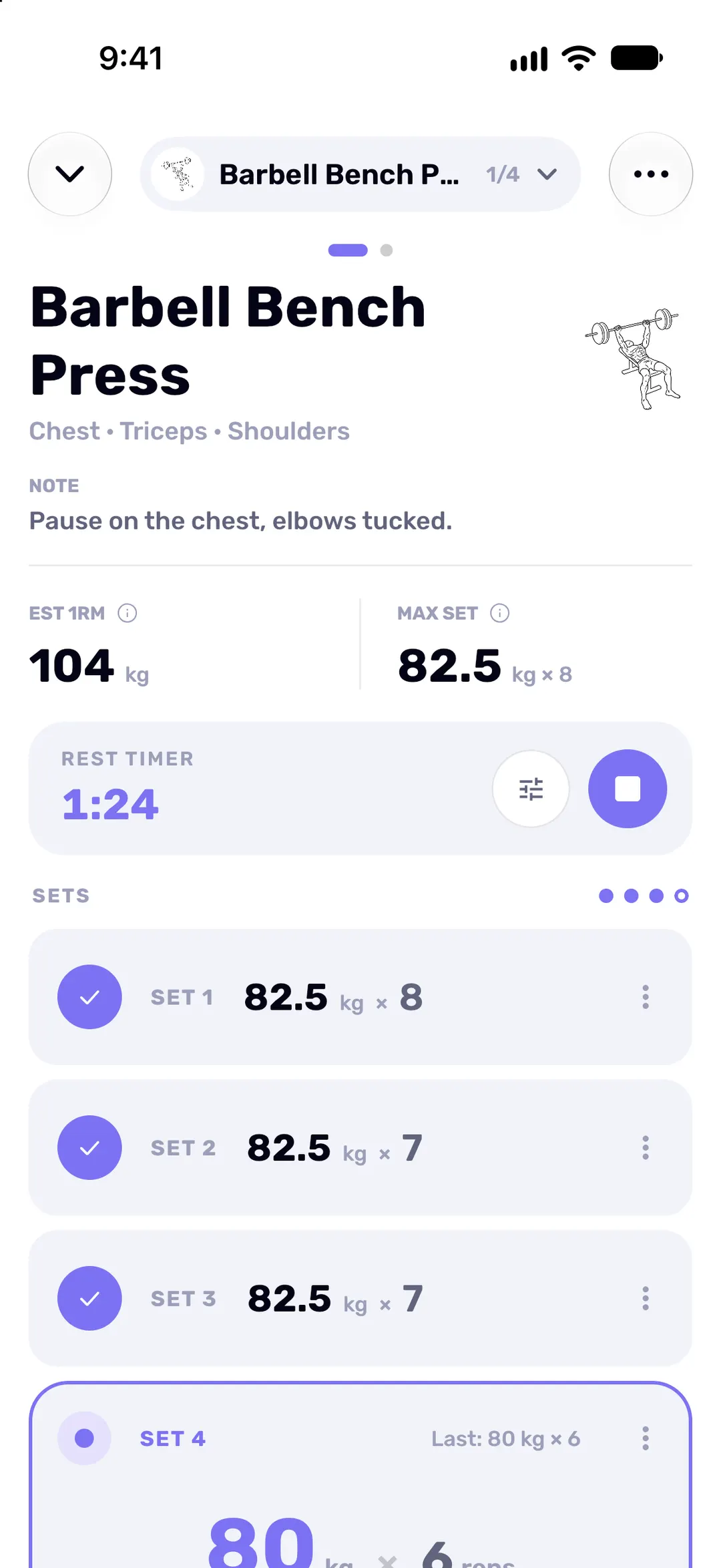
Start the rest timer with a tap, or switch on autostart so it runs after every set. On iPhone the countdown sits on the Lock Screen and in the Dynamic Island, with your next set beside it. On Android it's a notification.
-
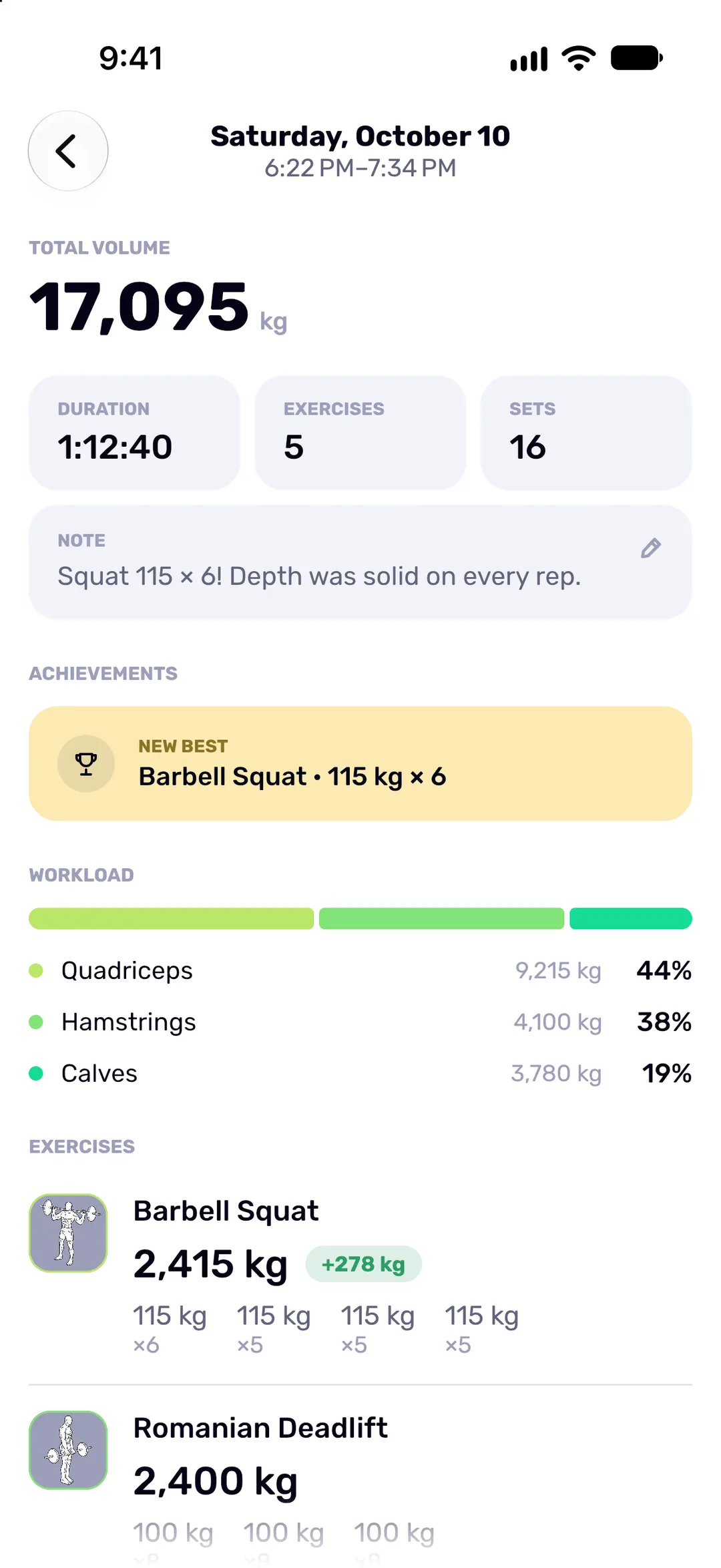
Finish with the full picture
Duration, sets, total volume, any new best and which muscles did the work. Share it as a stats card, a set-by-set receipt or a muscles card, or save it to your photos.
-
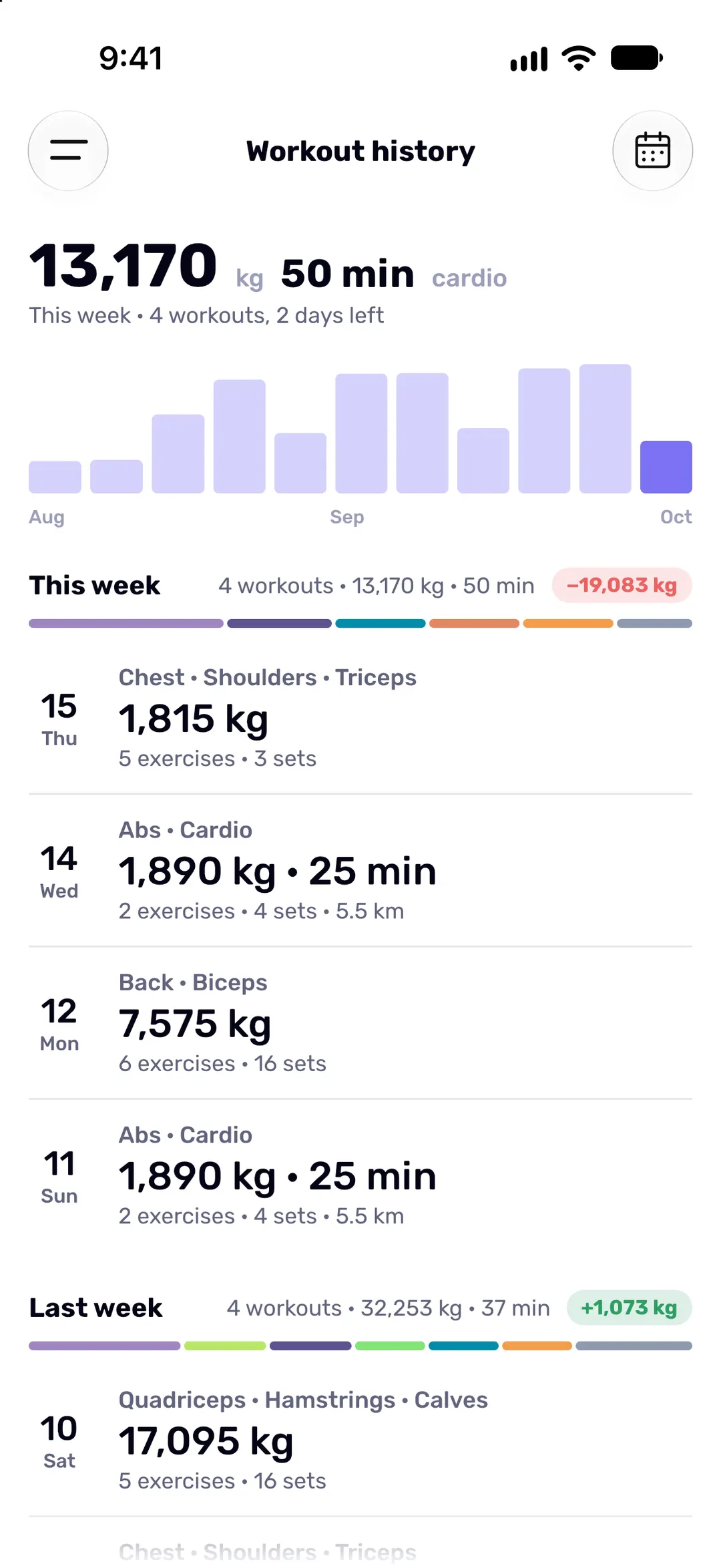
Watch the weeks stack up
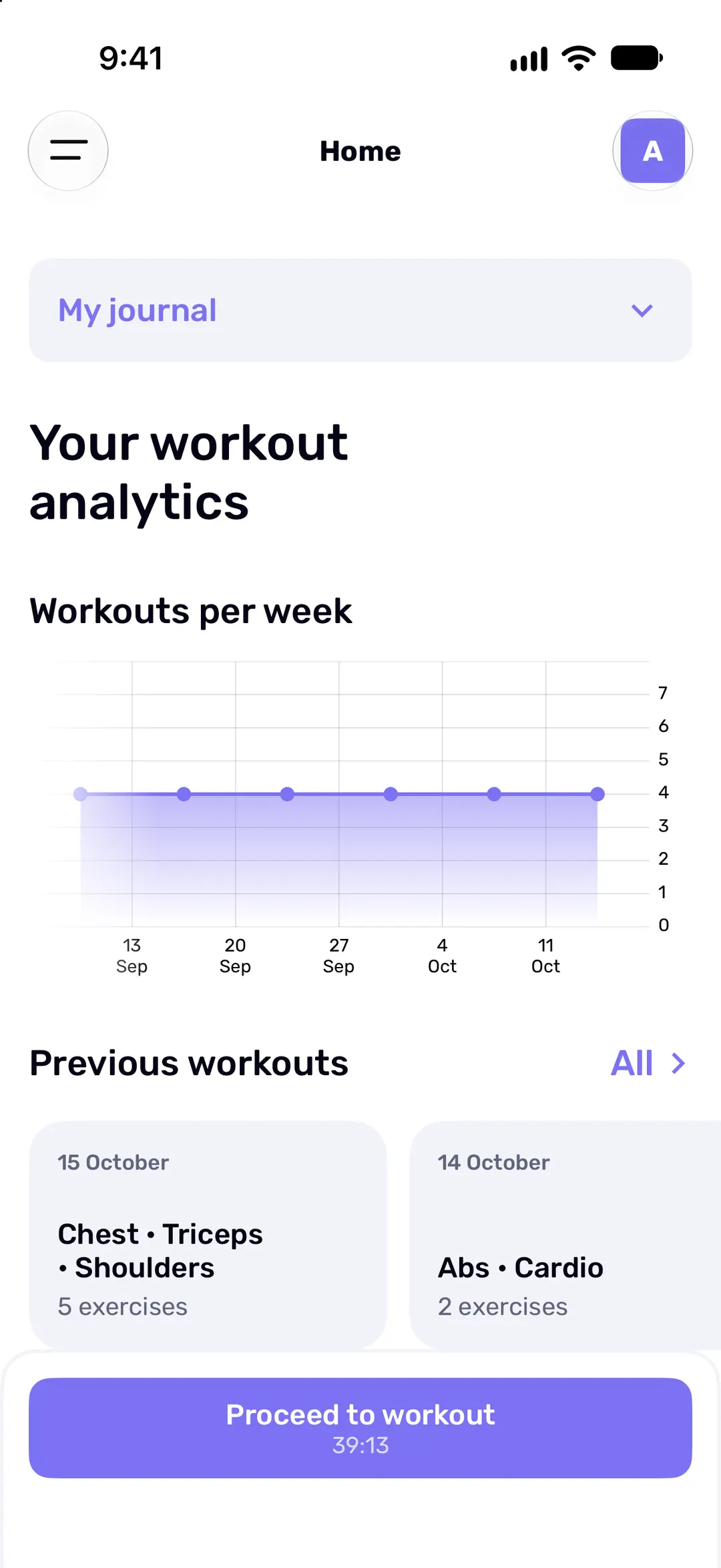
History groups every workout by week, with a bar for each week's total volume and how it compares with the week before. A strong month is easy to spot. So is a slow one.
No signal? Keep lifting.
Fit Journal works offline. Your journal lives on your phone, not on a server.
Nothing to load
Every screen opens straight from your phone.
Nothing lost
Each set is saved the moment you log it.
Nothing to do
Sign in once. After that, changes sync in the background whenever you're online.
Your training, readable at a glance
-
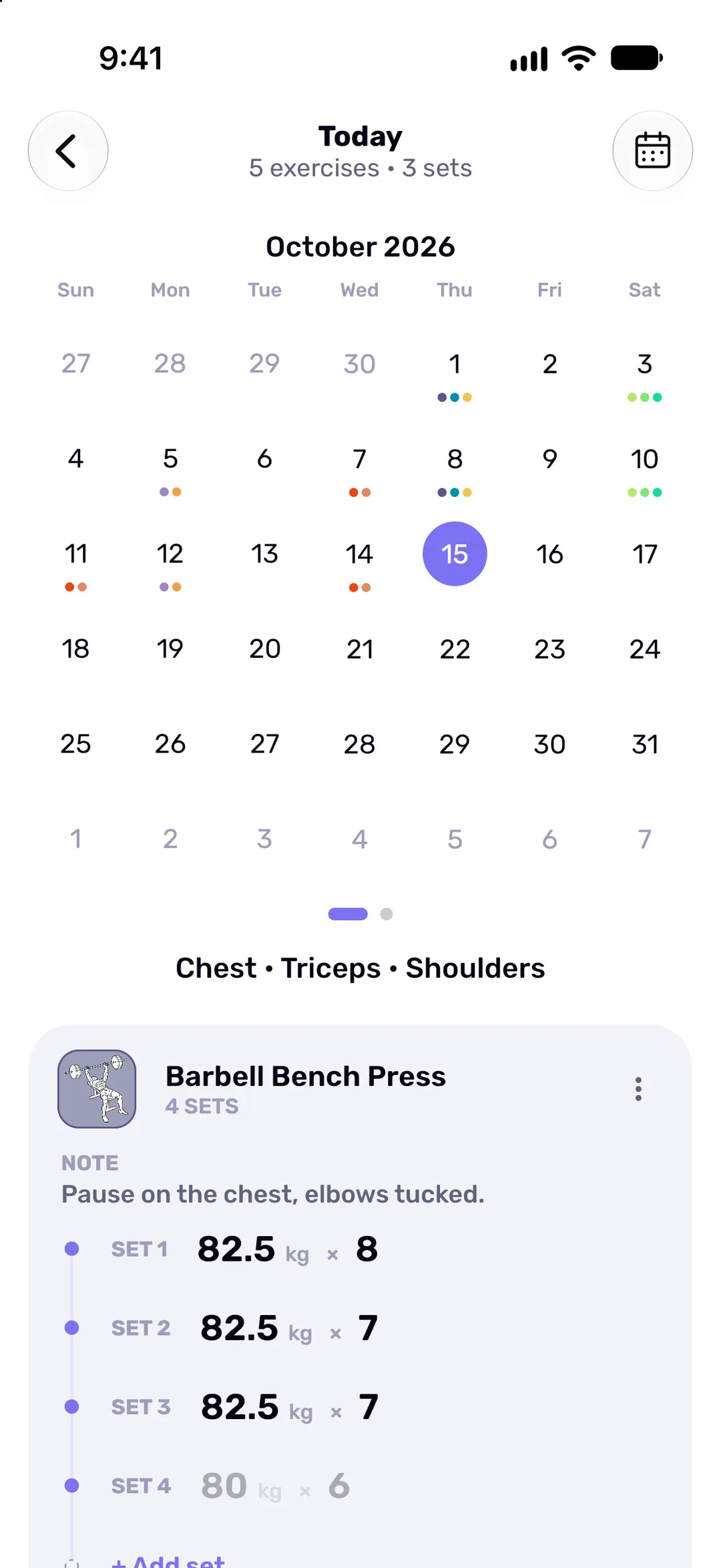
Which muscles, which day
The calendar puts a coloured dot on each training day for every muscle group you hit.
-
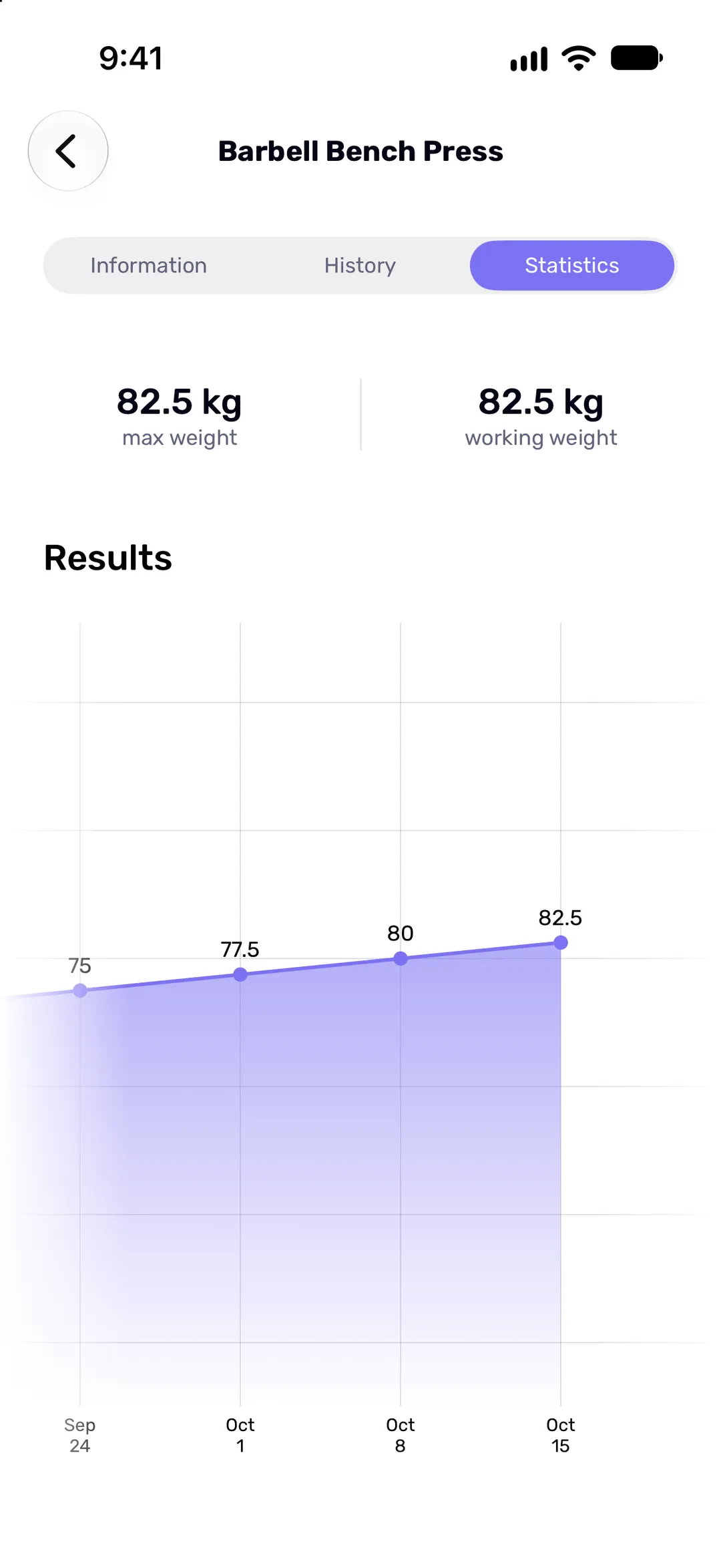
Every lift, charted
Heaviest and working weight for each exercise, over months.
-
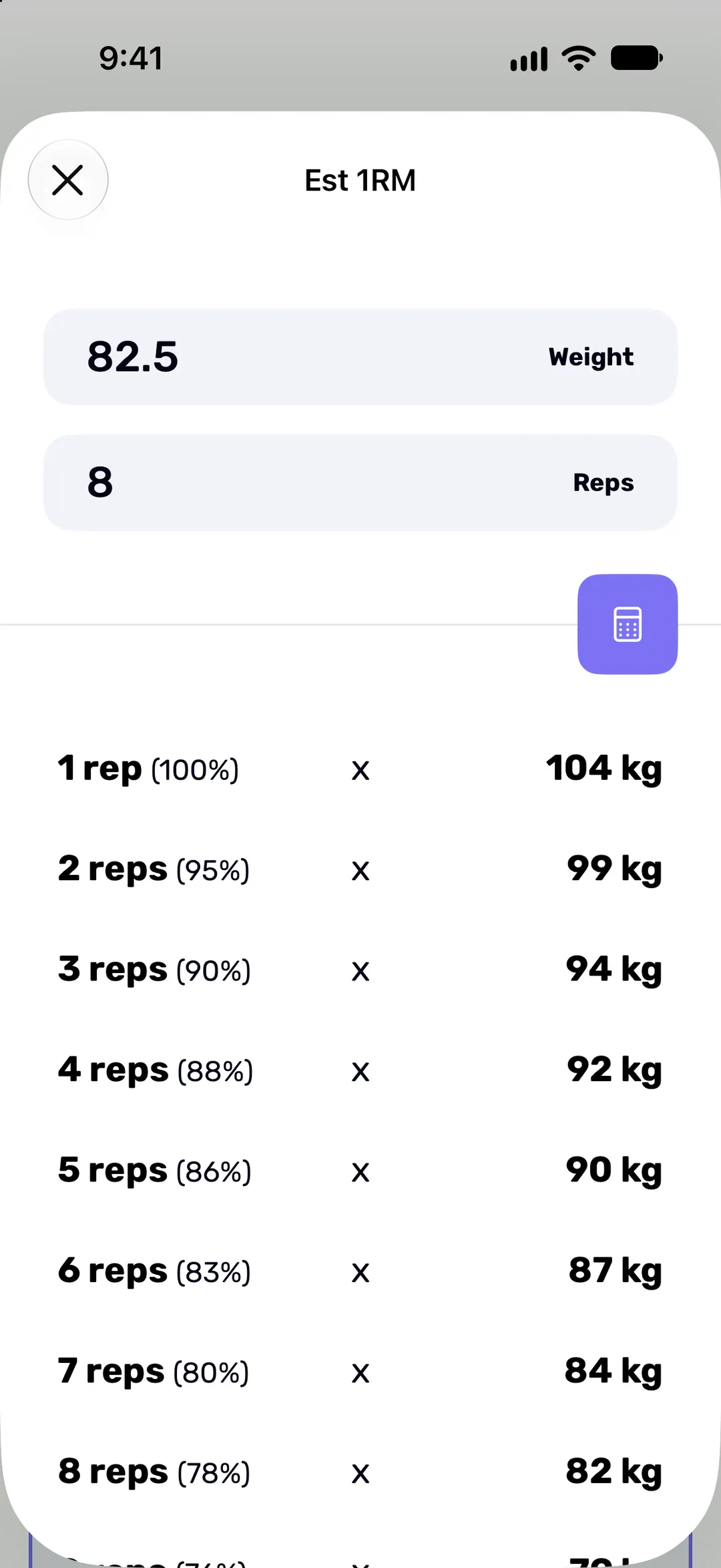
Your one-rep max, estimated
Plan working sets from a table of percentages, without testing a true max.
-
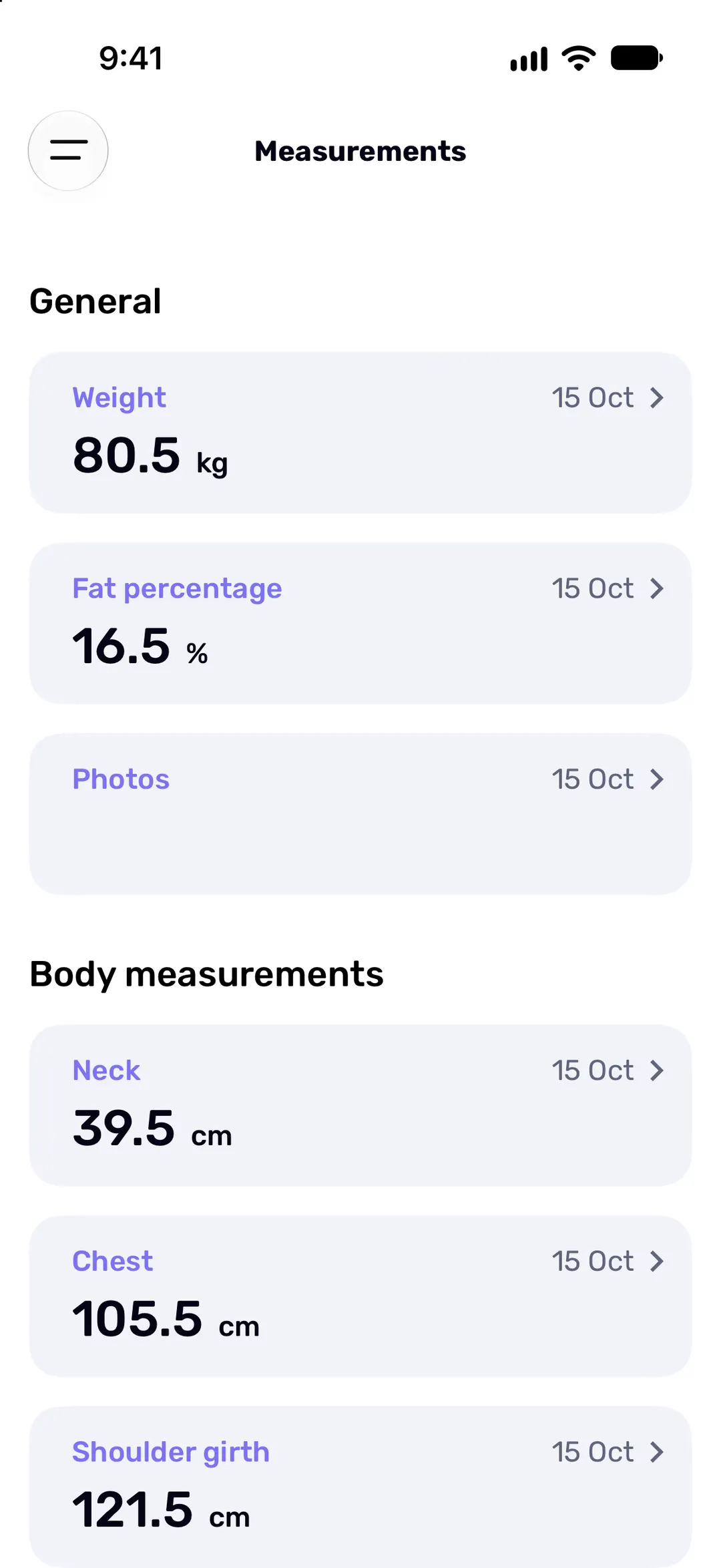
More than the scale
Body weight, body fat, tape measurements and progress photos, each with its own chart.
-
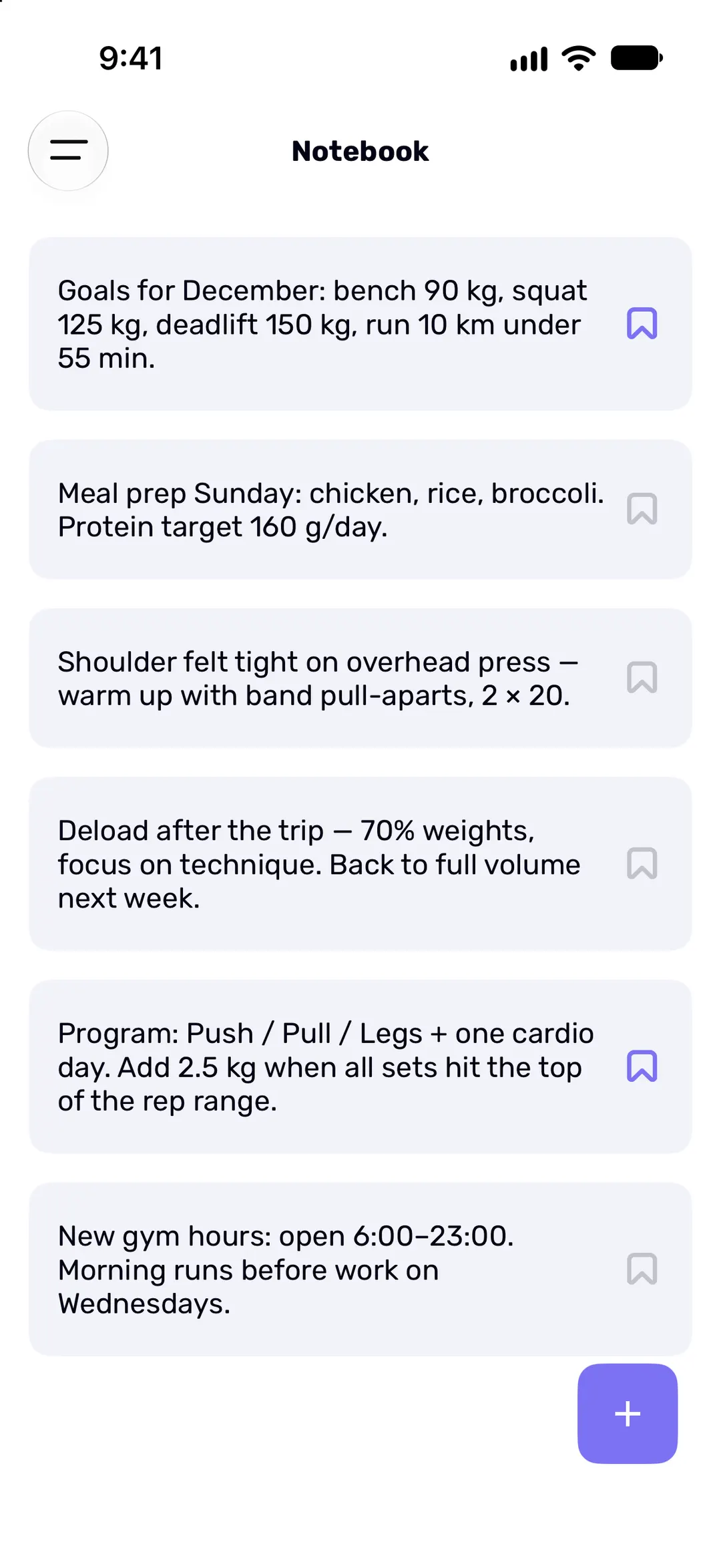
Notes you'll see next time
Pin the cue you need next session (“elbows tucked”). Notes go on a workout, an exercise or your notebook.
-
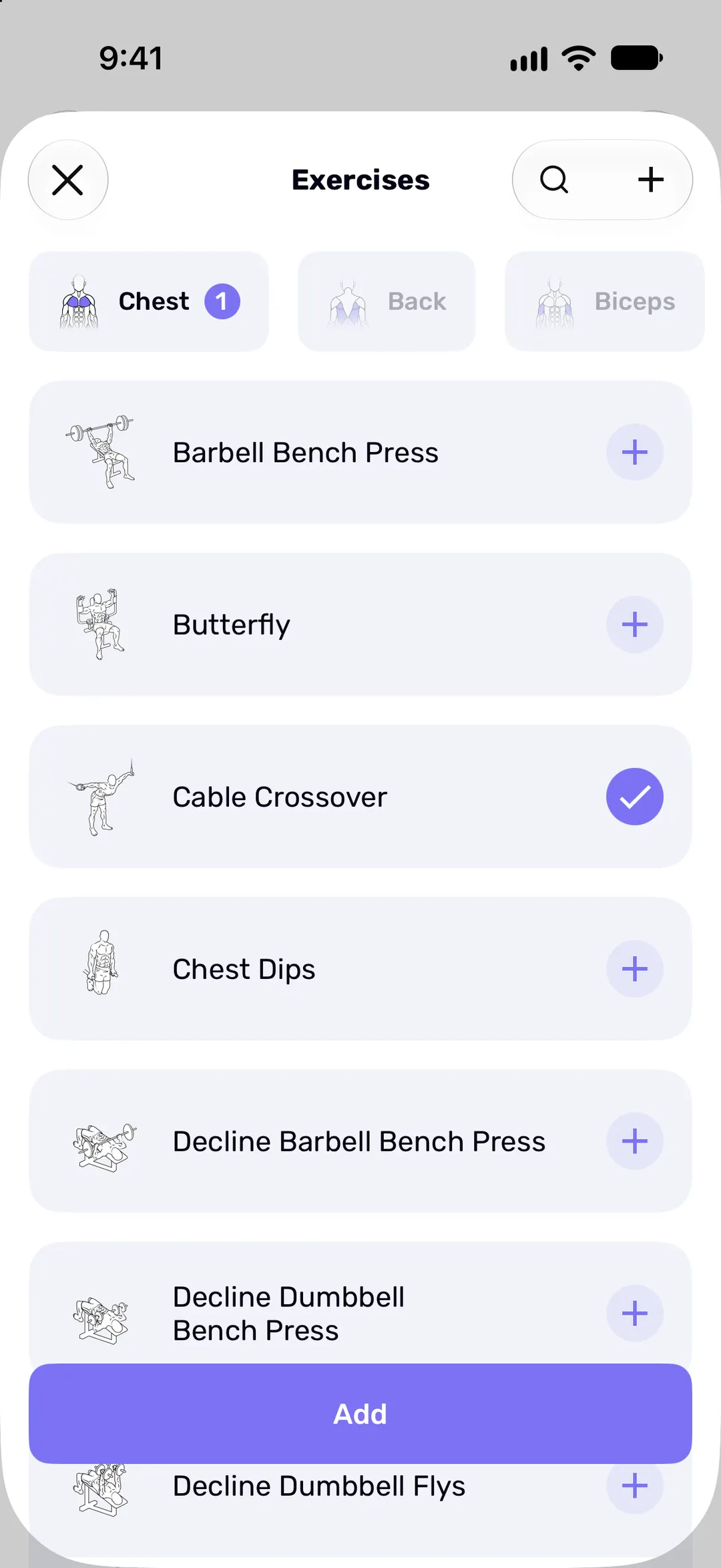
Your exercises, not just ours
Built-in exercises by muscle group, plus any you add. Cardio logs distance and time.
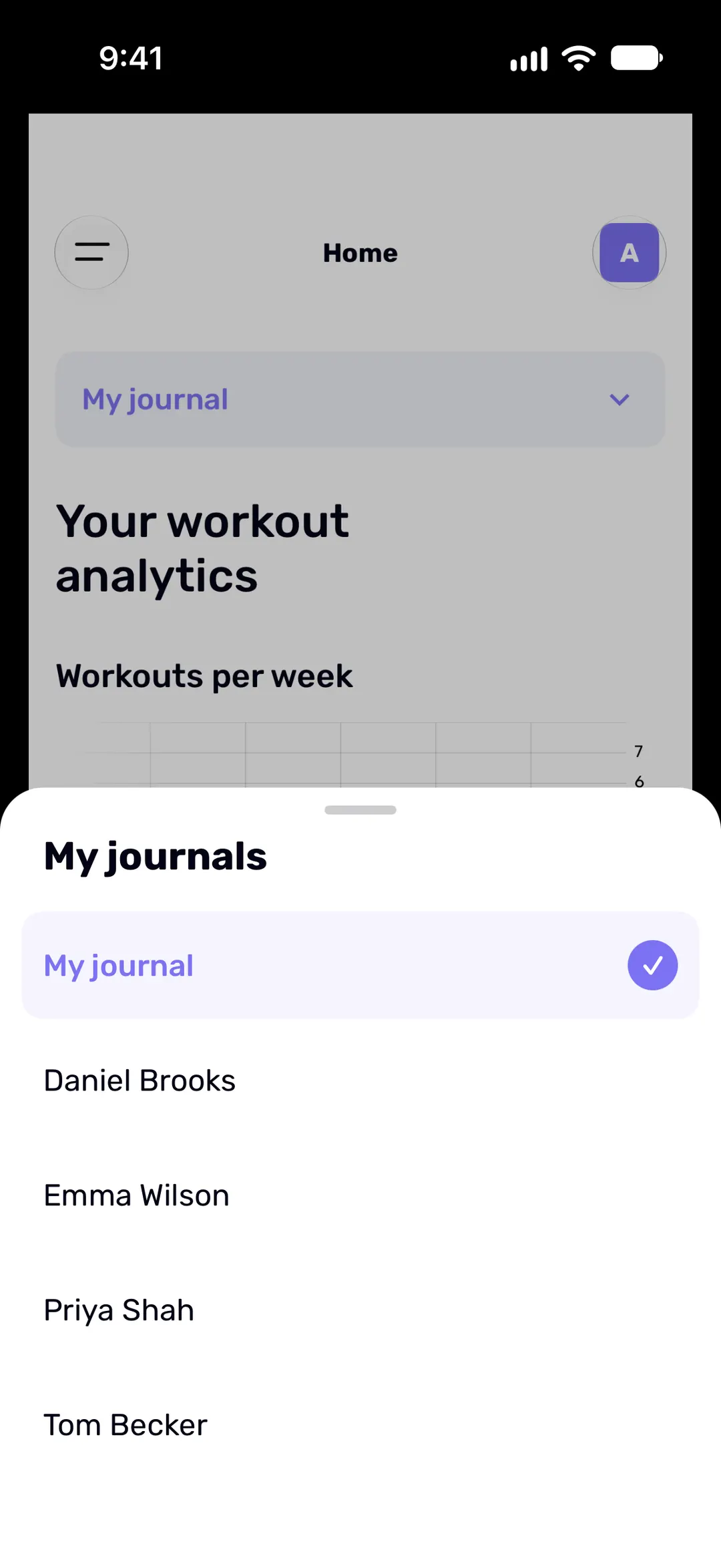
Coaching? One journal per client.
Each client gets their own journal, with their own workouts, notes and measurements. Switch between them in a tap, without mixing anyone's numbers.
Before you download
Does Fit Journal work offline?
Does it sync between my devices?
Which devices does Fit Journal run on?
Is Fit Journal free?
How does the subscription work, and how do I cancel?
Can I use pounds?
Free to start
Download Fit Journal and start logging for free. When you want unlimited workouts, upgrade. If you ever stop paying, nothing you've logged is deleted.
Free to start. Needs iOS 18 or later, or Android 9 or later.